And today, wordpress is refusing me the ability to just simply put a flash file in as part of my post… Grrr. Clicky here for the story of Charlie the Bear!
This was my example to my students today of what project #2 should look be like.
And today, wordpress is refusing me the ability to just simply put a flash file in as part of my post… Grrr. Clicky here for the story of Charlie the Bear!
This was my example to my students today of what project #2 should look be like.
I’ve been teaching animation, using Flash for a about 10 months now – and wow… it’s been that long! One thing I’ve noticed is that animation, and this is for the simplest sense of the word down to the most complex, is that many students just kind of expect things to happen on their own. Like those old cartoons, where Daffy gets tormented by the hand of the animator – all you have to do is draw a static figure of a duck and the rest just happens.
Hell, I wish it was that easy.
But animation is a progression, it’s not just getting something from point A to point B, it has to consider time as well. And that’s something that seems to get lost.
Many of my students seem to see time as an intangible. It’s something that we exist in, but can’t manipulate. Of course, this may seem true in most instances, but I know I have the power to make time slow down, in a very real sense, when I get to the lectures about coding (if/else anyone?). So if time is a progression, and we can measure it with clocks (or cell phones), why can’t we manipulate it? Odd question I’ve always wondered, every other dimension we can go in any direction, but time leaves us stuck going forwards (I’m guessing we can take rights and lefts, but no steps back).
In animation, we get to break that rule – to a degree. Once we place our object to animate, be it animal, vegetable or mineral at a point in time, we can in fact revisit that time and location and alter it to fit our needs better. In fact, with Flash I constantly go backwards and forwards to shape my animation’s outcomes to my needs. Sounds almost godlike!
Then there’s the other bit that deals with time – just like all of us weren’t all introduced into each other’s lives at the very beginning, we don’t have to have our characters all sitting around at the beginning, waiting to enter from stage left like actors in a play.
So taking these observations in mind, we begin to see that animation has rules that need to be met and pushed. We can introduce our characters one by one, change when they meet, and under what circumstances. These are all parts of telling a story, deciding how things conceptually interact. But what about the bit when we just need something to move across the room? Here we get to see time at its most basic. Now we have train A leaving the station and heading to station B 20 miles away. How long will it take?
Well, how fast is it going? With animation we measure time the way we measure distance, with a yardstick – we break down seconds into smaller divisions called frames (no milliseconds yet!).
———————- break —————————
Hell, I don’t know where I was going with this anymore. My site got hacked and taken down for a day. Sitting at home now, with a cat purring on my lap, Janis Joplin on the radio, and a need to go make dinner soon.
So I found this clip recently (actually, it found me – home screen of my Boxee box one fine day this past weekend). It’s a great clip, Terry Gilliam runs through (so fast, he might as well been running…) his cut-out style animation for Monty Python Flying Circus.
What I love about this movie is that he’s showing exactly how great, fast and funny Flash animation is done – you don’t need to mess around with huge amounts of frame by frame animations or make perfect realism. Sometimes, animating things in the bare bones is the best. And it helps if you’ve got a sick and twisted sense of humor. Best part is, Mr. Gilliam here (one day I would love to have him say to me, “call me Terry, please”) shows how to animate with small static pieces – just like breaking up your stuff into little bits in Flash. While he had to shoot frame by frame, the basic concept is the same we have now with motion tweening. This is the best lesson for students trying to learn the basics.
So that’s why I showed this to my class last night. I started it out by asking, “Who here has seen Monty Python stuff before?” A few hands went up. One girl asked, “is that like an anaconda or something?” Another said, “I’ve heard of ‘Monty Python and the Holy Grail’ but I’ve never seen it.” The one student who actually is older than me rolled his eyes (I was too, in case you’re wondering). Another student said, he’d only seen it because his girlfriend insisted he watch it (hope for the younger generation I guess!).
Still – I played this, there was glorious silence for 15 minutes, interjected by me yelling out things like, “we can do that with Photoshop now!” and “that’s basically motion tweening!” By end of class, I saw one girl redoing her project using black and white pictures cut out and put into Flash – and a few mentioned they were going to look for more Monty Python stuff over the weekend.
So I’ve been thinking of an idea that’s been baking around in my skull for a while, and I’m thinking of building it out as a Flash game to start.
There’s a lot to keep track in this game idea, and so, just like I tell the students, this isn’t something where you throw everything into a pot and let it simmer — you have to prep first. Thing is, I don’t know what all the ingredients are.
So what do you do if you don’t know where to start? Turn on Flash and stare blankly at the screen? Nope. I’m going back to the basics. I have my pages and pages of notes. I have vague ideas about levels and mini-games in the game. I’m going to grab pencil and paper. When I can’t draw out Evil Onion backgrounds and imagery any more, I’ll switch over to this. When I’m tired of trying to figure out how to get lots of little bits and pieces to interact, I’ll go back to the onion.
I think that when I’m ready, what I have to do is come up with the game dynamics, fake some animation (little blocks instead of fully fleshed out characters) and get them to move and behave how they have to. Once that works, I’ll go back and make clean animations. This is what usually kills me. I jump straight to the icing, forgetting the cake underneath. Let’s see if I can be any better this time around.
I’ve been thinking about it. I use the cooking analogy a lot in class – both Flash and HTML/CSS. I think I use it a lot in other situations too. Basically, I boil it down to this: in order to understand a thing, you have to be able to break it down into the basic ingredients and see how they combined in the first place.
Since my Flash class is almost over, I’ll use it as an example. When you decide you’re going to build something, like say, a cartoon, you start out with your basics – the concept, maybe a few paper sketches, initial storyboards, etc. None of these have anything to do with Flash or ActionScript coding. Thing is, can’t go any further into Flash until you have these bits done.
That’s like your trip to the grocery store, just to get:
That’s an extensive list, you need to keep your kitchen better stocked… As you can see, the basic concept is a pasta of some kind. Now what? Can’t throw it all into a pot and magically have everything come out tasty. Just like Flash, you have to do some prep work. So first you have to identify ingredients (cooking) or identify animations (have a cat running across the screen? How will it animate? Should you separate out the limbs into their own animations?
If you’re animating a cat running down an alley, that’s like the sauce for our pasta. The alley is the pasta, and any assorted bit and pieces might be the garnish at the end. Hey, it’s not a perfect analogy, but it works…
Your pasta (the alley scene) needs to be prepped and ready to go for when the kitty (or sauce) runs through it and really mixes up this metaphor all to… (dare I say it?) pot.
I don’t know how you plan on drawing this alley, but like pasta, it needs to be cognizant of the kitty that’s going to run through it (or mixed into it, whatever). A good pasta will complement the sauce, in the same way a good background really makes your animation punch out. And you definitely want the pasta ready when the sauce is ready, so let’s get a pot of water boiling. Toss in the Angel Hair and keep an eye on it, you want it al dente. Once it’s ready, drain and put back in the pot. Once your background is ready, make it a movie clip and save it for later.
So, if the garlic represents the legs of the cat, you can animate these individually, so you don’t have to built it all at once. In the case of garlic, smash with the broad side of a chef knife (or a santoku – I like those better), THEN remove the peels (they come off easier this way). Now dice and set aside (I’m assuming you have prep bowls?
In Flash, FYI, the prep bowls are the library… and what each little bowl holds are movie clips, graphics and or buttons.
Back to this kitty running down the alley – does the head need to animate? Maybe not, so you draw a single image of the head (kinda like opening the can of tomato sauce and moving to the side by the prep bowls).
The kitty’s tail will move around a lot, you’ll want to animate that. Like tomatoes that need to add textures to the sauce. Chop up the tomatoes. Into a prep bowl!
The kitty’s body may not need to be animated, like the ground beef, it waits for the other bits to influence it. Draw it and put it in a prep bowl to the side!
Now we combine all these bits. The running kitty (or the pasta sauce) both need to be set up properly. In the case of the sauce, we need to saute the garlic first. One large sauce pan over high heat, use the light olive oil, and brown the garlic. In flash, make a new movieclip and put the kitty’s legs in the first layers. Once the garlic is browned, add in the ground beef. Or put the kitty body layer over the legs (since the front facing legs may need to be in layers above the kitty’s body, you’ll want to put the body layer in-between the legs – or in the sauce, stir till the beef browns).
What’s next? The kitty needs it’s head, so put that into the movie clip in it’s own layer. That’s the tomato sauce, FYI… Tail gets placed in too. Toss in the chopped tomatoes. Spruce up the kitty, go back and add some nice touches maybe to the striping on the head and tail. That’s the oregano, and other spices. Still needs a little extra oomph? Pour in some of that red wine. Now, let the fully animated kitty sit in your library. Or let the mixed sauce simmer for a little – lastly add the basil (tear it by hand).
Now let’s grab that background alley (or pasta), put it into the main timeline (or bring it in front of you), add the kitty (or sauce) on a layer on top (pour it on!). Get any little extra bits on a layer above the kitty, to add depth (say, garbage cans to run between). With the pasta, you’re adding those mozzarella balls.
In flash, you may want to add a “start” button or something for the animation to start. In cooking, that’s called a fork. Please also notice, no onions were needed to make a delicious pasta.
I’ve gone and rambled again… So, the thing I seem to ask all the time, both to students and friends in general. Did I just make any sense?
Now step back.
That’s today’s lesson in class. I’ve shown animation, shape and motion tweening. I’ve shown how to use timeline code to control different movie clips. Last week I introduced code logic and variables. Today I told them to, well, basically draw.
All those bits up there are for moving things around, getting user interactivity working, but that’s no good if you can’t come up with something for it to do. For the final project, they have to come up with an interactive something. A something that uses if/else, buttons, etc. Still, before they can get to the if/else, before they can make a button do something, they have to plot out what those somethings are.
So tonight we discussed final projects. Most chose to do a flavor of the following:
Quite a few started worrying about the code, but seriously, that can come later. First do the fun stuff, draw out storyboards, figure out animations, deal with the coding later.
Once all the little bits that make the animation cool are ready, then settle in to the coding part. It’s like cooking, get all the necessary ingredients, mix the right bits together THEN worry about what goes in the oven and what goes in the saucepan.
If (winter storm warning)
{
let students go an hour early
}
Stupid weather. Barely 3 inches of snow, and none happened till much later! Still, when you’re teaching at night and you see a giant blue blob of snow on the radar map, well, you cut everyone out early. Still, I battled on for over 2 hours, so they could try their hand at some simple comparisons complete with score keeping!
It’s fairly simple, and runs on 57 lines of code (49 if you don’t count empty lines)! And some of those lines weren’t actually used (set-up for some extra stuff we never got to). In this, I tried to show how variables interact and change based on conditions set. The values of money above each character’s head changes based on variables set based on which face gets clicked on.
Then the faces change based on a comparison of the money amounts. So every time a face gets clicked, the money amounts change and are checked. If Bob’s got more money, he gets all smug. When Bob has less, he gets mad.
It’s all taken care of in a bitty function called checkForJerk.
function checkForJerk():void
{
if (bobsMoney > myMoney)
{
me.gotoAndStop(2);
bob.gotoAndStop(2);
}
else if (myMoney > bobsMoney)
{
me.gotoAndStop(1);
bob.gotoAndStop(3);
}
else
{
me.gotoAndStop(1);
bob.gotoAndStop(1);
}
}
I’m sure this could have been done easier with a switch/case format, but let’s get through the basics first, shall we?
Oh, and in case you didn’t notice, yes, I appropriated little troll faces for fun – no idea who made them, but if I knew, I’d give credit where it’s due.
Go to the beach. This is how class started (more or less) last night. More or less. First, the stragglers from the class before slowly packed up their things, said bye to their friends in my class, and shambled off to wherever art/marketing/design/film students meander off to. Seriously, the concept of politeness is dead. I just talk over them and let those students who want to be distracted miss out on the opening remarks.
So the dreaded if/else statement was the topic du jour. I spent the entire evening writing on the whiteboard. No computer, no “start-up Flash and do what I say.” Well, I told them, “open up NotePad and type this in.” Some felt I meant a literal notepad and wrote only in the notebooks, even after I said, “you’re turning this in.” I have a few cellphone snapshots of people’s work, and I have to say, my eyes hurt, just a little, from fighting the urge to roll them up through all this.
So, sunshine and if/else. How else can you start explaining the concept, really? Most folks (I’m not part of “most folks” in this case) don’t think in terms of programming logic much. At least they don’t recognize it as such. I don’t usually either, but I have wondered, as I wait at a frozen bus stop in February, “if I hadn’t ducked into a Tower Records during a rainstorm in Santa Barbara back in 1994, would have ended up in Chicago in 2013?” The answer to that is probably “no.” That’s another story and I digress.
Simply put, choices we make based on variables in our lives are just like programming. Each leads to new choices and new paths to go down. Which makes <insert deity here> a snarky coder with chip stains on <his/her’s/its> D&D t-shirt. Or at best, we’re all living out the longest and oddest Choose Your Own Adventures books ever written:
If you want more coffee before your 11am meeting, turn to page 1173, if you think you can keep the yawning to a minimum, turn to page 1554.
Where was I? Oh yeah – if it’s sunny out, go to the beach, but if your boss sees you, don’t go to the beach:
var sunny:Boolean = true;
var boss:Boolean = false;
var beach:Boolean = false;
if ((sunny) && (!boss))
{
beach = true;
}
else
{
beach = false;
}
This took the better part of an hour to go through. I think by the end most were getting it – in the broadest terms. Next class, we’ll try and apply it to something more tangible than weather.
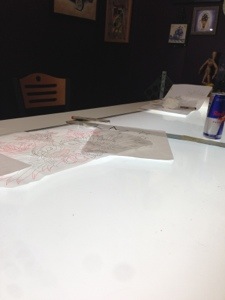 So I’m sitting here at my friends tattoo parlor (well, she has a chair here), and as always I’m struck by the meticulousness of the job. Maybe I’m going to ramble on this one, so I might not post this, but I find the aspect of art on skin cool.
It reminds me of what we all do, part inspiration, part skill and training, and a whole lot of just straight up sweat and tears. I rolled into town too late for my own inking session, but I’m watching the processes of initial draft, refinements, and application in various stages right now.
Similarly my projects are part research, deconstruction, build and create. The onion’s eventual return is reminding me of all this. I haven’t even started redrawing him, I don’t know what he’s going to look like (other than oniony and red), but the first step shouldn’t be deciding the right tool, since I don’t know what that’s going to be yet.
I can find 3D sculpting tools and make a real-space onion, but how well will that import into Flash? What do I need to learn to get that to work? Is this the best way to bring the evil onion back?
Which brings me back to tattoos. It’s easy enough for me to show off a sketch and say, “I want this,” but my concepts of placement differ from the person who would be applying the actual ink. The person who knows how anatomy and art mix. Right design needs the right tools, and the right know-how. Ultimately it’s all planning and follow-through.
Which bring up the real point of this post. Here I am, and no fresh ink will be applied on me, due to damn timing.
I’ve come to realize something about this onion. It is, as one of my more blunt students put it, “flat.” Hey, this was 12 years ago! These were simple projects in a simpler time – my god, we were still in awe over Shrek, and the incredible wooden faces the humans in that movie had. So for me to actually fake out some 3D with some simple skewing was pretty cool (for me anyway). With time and wisdom, even I wonder why I didn’t even bother with some gradients to give the illusion of depth.
Still, I was still learning to use Flash, and people were still learning to use “Google” as a verb, so it wasn’t like I had all the resources of the world at my grasp. Not yet anyway. Today, things are a little bit better. The vast resources of the web are easier to find, and most is on YouTube, narrated by 13 year olds. This coincidentally, is how I modified my Nerf Maverick, which I’m apparently no longer allowed to use in night class to shoot college students…
Where was I? Oh, the onion. I’m going to rebuild him. Ground up, which I suppose is how onions go normally. Flash apparently can rotate in 3D, but really, it’s rotating a 2D object in all it’s flattened glory in a 3D space. Apparently I’m going to have to find a new way, and that way may be Photoshop, but who knows. I’ll play with that, and maybe post an image of whatever bit of the onion I’m currently constructing.